Replio Chrome Plugin Is Live – Allegro AI Without Any Integrations
Replio Chrome Plugin Is Live – Allegro AI Without Any Integrations
Today we're excited to share that the Replio Chrome plugin is officially available in the Chrome Web Store. This lightweight extension brings the full power of our AI assistant into the Allegro interface (and soon other marketplaces) with zero setup.
No Allegro Integration Needed
One of the biggest requests from sellers was a way to use Replio without connecting their Allegro account at all. The plugin solves this by rendering the assistant directly in your browser:
- Install the extension and sign in with your Replio account
- Open any Allegro thread, dispute, or listing page
- Start generating and refining replies instantly
Because everything runs client-side, there's no OAuth flow, no tokens, and no API permissions. You keep full control over your Allegro credentials—Replio simply overlays the assistant wherever you need it.
What You Can Do Right Now
- Draft, edit, and approve responses without leaving the Allegro tab
- Use your personas, knowledge base, and favorite prompts
- Create Todoist reminders, fetch DHL tracking, and search Google Drive from the sidebar
- Copy answers straight into Allegro or paste them anywhere else
The plugin mirrors the same AI models, usage limits, and safety features you already have in the Replio dashboard, so there’s nothing new to configure.
Logging In After Installation
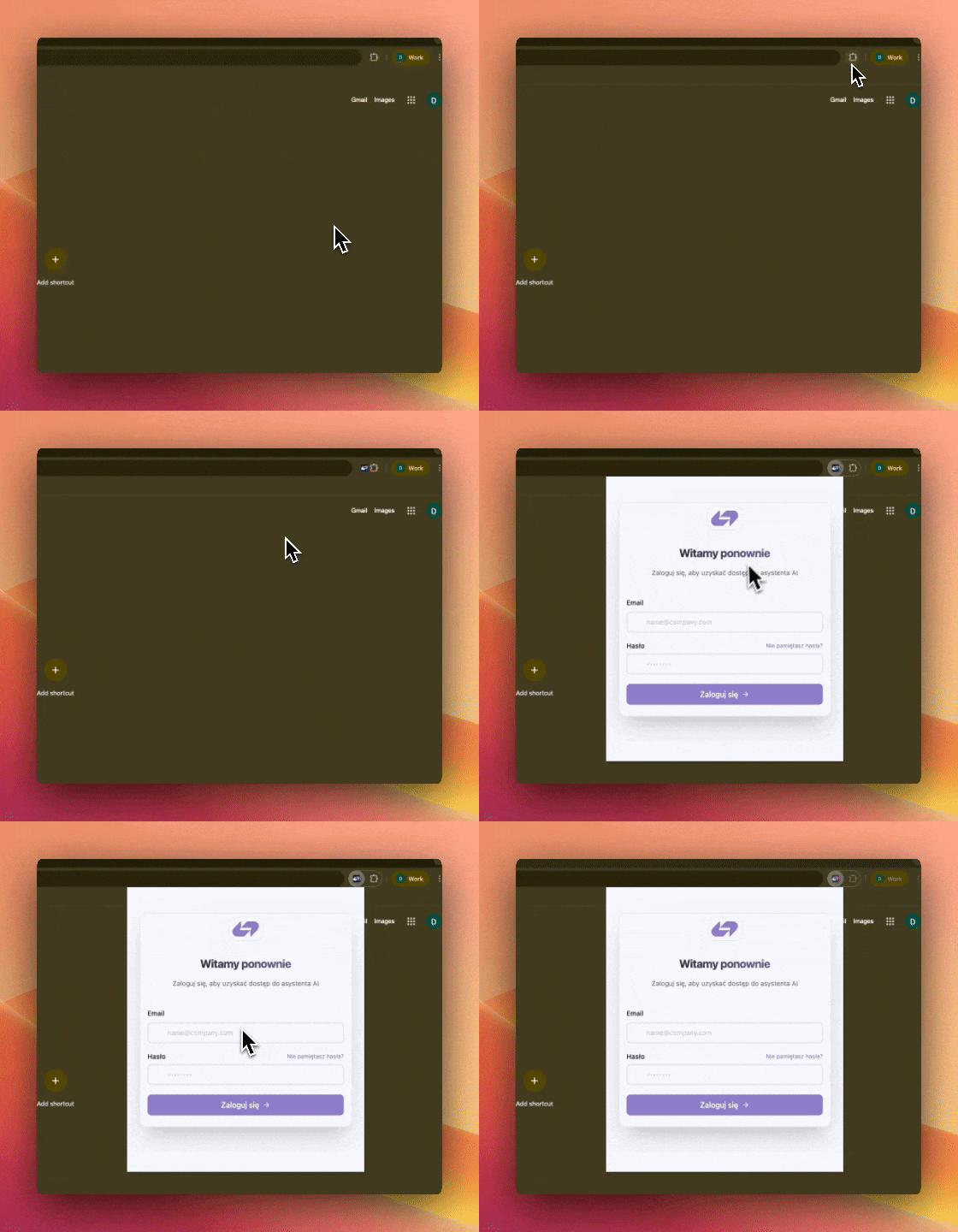
Once you add the extension to Chrome:
- Click the Replio icon in the extensions bar.
- Sign in using the same Replio credentials you use in the dashboard.
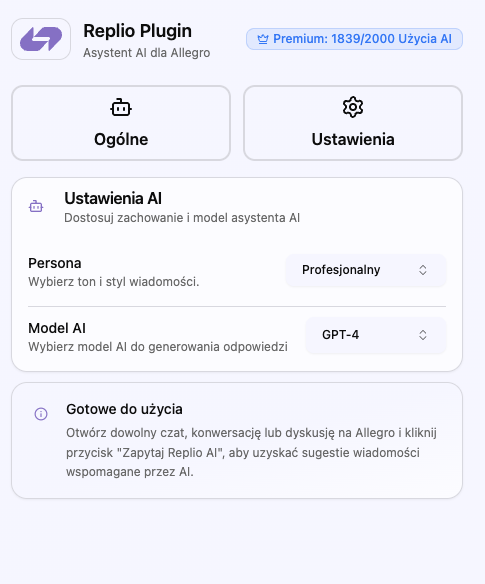
- Pick a persona and AI model—those preferences are stored locally for future sessions.
No OAuth prompts or Allegro permissions are required; everything stays on your device.
A Quick Tour Of The UI
The extension ships with a lightweight control panel that appears when you open the “Ask Replio AI” bubble:

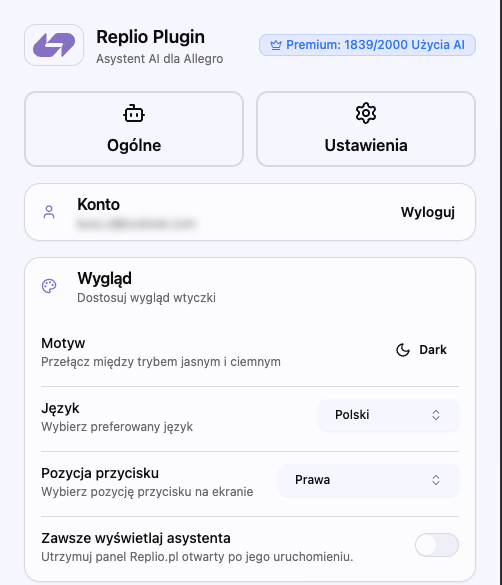
- General tab – shows your subscription status, lets you log out, and keeps the assistant only a click away.
- Appearance panel – switch between light/dark mode, change UI language (Polish or English), move the floating button to the left/right side, or keep the panel pinned at all times.
- AI Settings tab – pick any persona you have in your Replio workspace and choose the exact model (GPT-4, GPT-4o, etc.) the plugin should use for drafting replies.
Everything updates in real time, so you can fine‑tune the assistant without leaving Allegro.
Settings Screens
Perfect For Agencies And Multi-Store Teams
If you manage multiple seller accounts, the Chrome plugin keeps things flexible. Team members can:
- Log into the Allegro account they manage
- Log into their own Replio workspace in the plugin
- Enjoy AI assistance without touching the “Integrations” area of the dashboard
That means agencies, VAs, and seasonal support staff can get up and running instantly while the main Replio workspace remains centrally managed.
What’s Next
Version 1.0 ships with Allegro support, but we’re already testing additional marketplaces and internal tools. Expect rapid updates that add:
- Smart detection of message context in other CRMs
- Auto-suggested macros pulled from your knowledge base
- In-place analytics so you can see how AI-created replies perform
If you have ideas or run into any issues, just ping us at support@replio.pl. We’re iterating quickly based on your feedback.
Install The Plugin Today
Ready to try it? Head over to the Chrome Web Store listing and click Add to Chrome. Within seconds you’ll have the Replio assistant sitting inside your Allegro workflow—no integrations required.
Happy selling!